
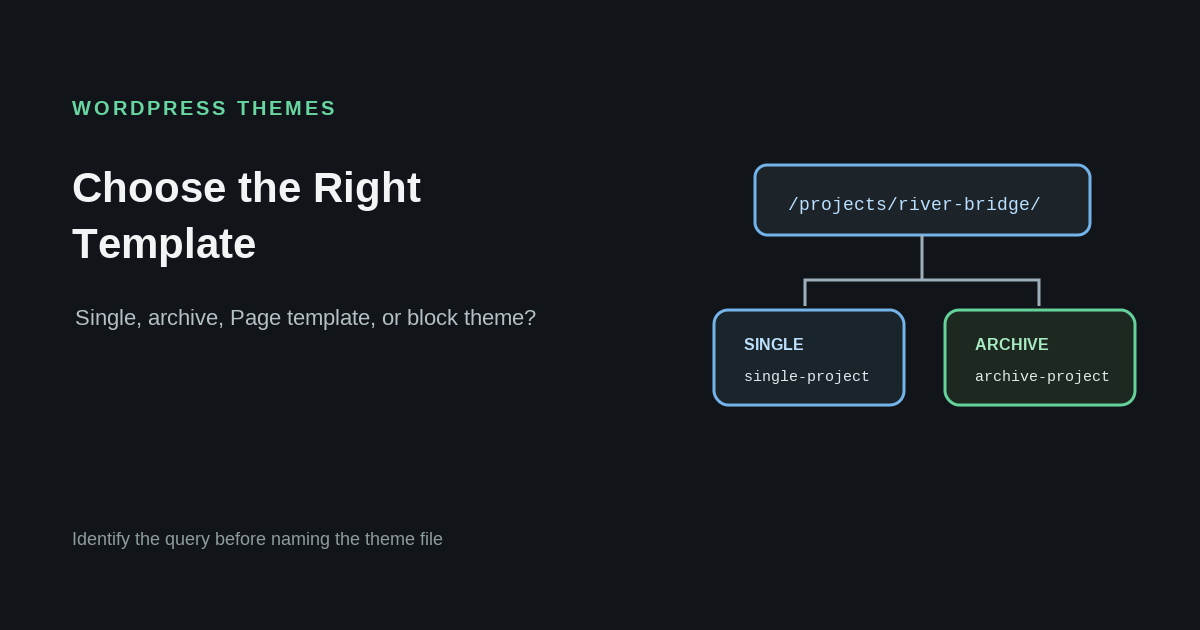
Use the WordPress template hierarchy for the content type and URL being requested; use an assigned page template when an editor should choose a layout for an individual page. A custom post type single page, a post-type archive, and a WordPress Page are different request types. Choosing the wrong template file is a frequent cause of templates that never load.
This guide compares classic PHP themes and block themes. It also shows how a template can render ACF Flexible Content sections without confusing the page's overall template with its editorial content.
First identify which URL needs a template
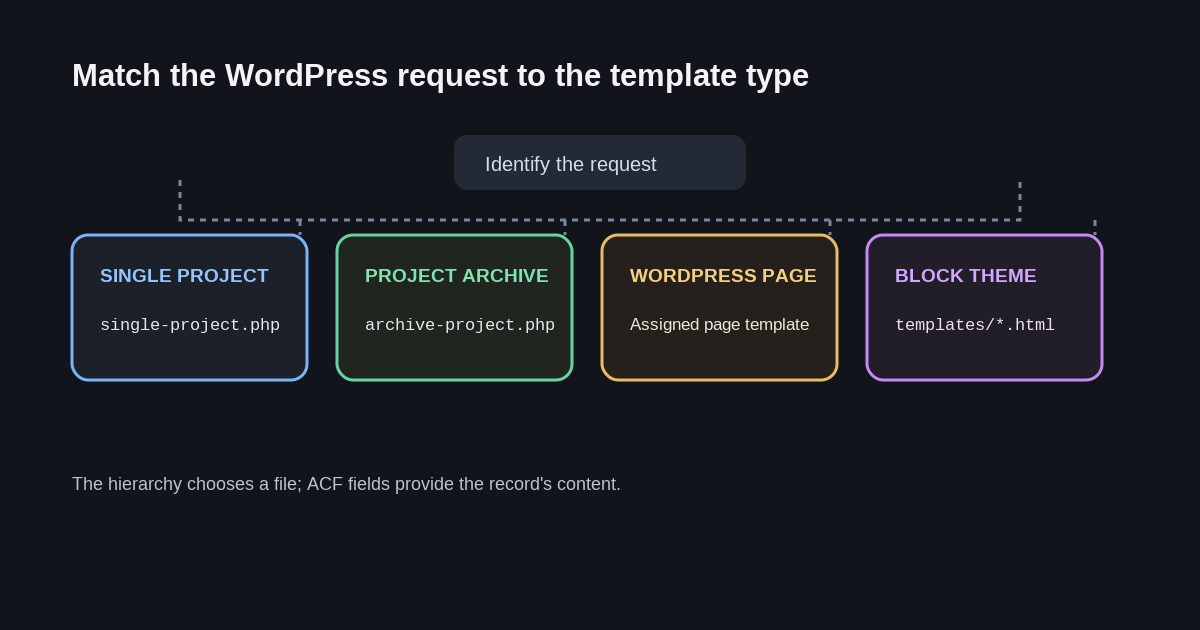
Start with the URL and expected content:
| URL or task | Request type | Typical template |
|---|---|---|
/projects/river-bridge/ |
One project post |
single-project.php |
/projects/ archive |
Collection of projects | archive-project.php |
| A normal WordPress Page assigned a layout | One page post |
Page template |
| A taxonomy term for projects | Term archive | taxonomy-{taxonomy}.php |
| A post category listing | Category archive | category.php or specific variant |
The exact slug is controlled by post type and rewrite settings. Do not infer that a path called /projects/ is the archive; it could be a normal Page, a custom archive, or a rewrite conflict. Confirm the registered post type and query in a development environment.
How do classic themes choose a single template?
For a post type with key project, WordPress looks for the most specific matching template, commonly single-project.php, then falls back through the hierarchy such as single.php and index.php. The archive has its own path, commonly archive-project.php, followed by archive.php and index.php. A child theme can override matching parent-theme templates.
Create only the file that corresponds to the request. If the single project has a unique detail layout, add single-project.php. If the archive needs a custom grid, add archive-project.php. Avoid putting both designs into page.php with unrelated conditional checks unless that is an intentional theme architecture.
A basic single template should use the WordPress loop:
<?php get_header(); ?>

<main id="main-content">
    <?php if ( have_posts() ) : ?>
        <?php while ( have_posts() ) : the_post(); ?>
            <article <?php post_class( 'project-detail' ); ?>>
                <h1><?php the_title(); ?></h1>
                <div class="project-content">
                    <?php the_content(); ?>
                </div>
            </article>
        <?php endwhile; ?>
    <?php else : ?>
        <p><?php esc_html_e( 'Project not found.', 'theme-textdomain' ); ?></p>
    <?php endif; ?>
</main>

<?php get_footer(); ?>
Use the_content() for editor content because WordPress applies content filters. ACF fields can be rendered in a template part or through a section dispatcher. Keep the page shell and the content sections separate so that layout changes stay maintainable.
When should you use a page template?
A page template is assigned to a WordPress Page, not automatically to a custom post type. In a classic theme, a template may declare a header:
<?php
/*
Template Name: Full-width landing page
*/

get_header();
?>
<main id="main-content">
    <?php
    while ( have_posts() ) :
        the_post();
        the_content();
    endwhile;
    ?>
</main>
<?php get_footer(); ?>
Use this when editors should choose among a small number of whole-page layouts for Pages. If each project needs the same content structure, prefer the post type's single template. If they need a few variable sections inside that structure, add Flexible Content or blocks within the post type's template rather than pretending each record is a Page.
What changes in a block theme?
Block themes use HTML template files under templates/ rather than PHP files for the main template. The hierarchy still selects the matching template; examples include templates/single-project.html and templates/archive-project.html. Template parts live under parts/, and the Site Editor can manage templates depending on theme configuration and permissions.
Do not add a PHP single-project.php and expect a block theme to select it as its main template. Follow the architecture already used by the theme. Some hybrid themes support both PHP templates and block template files, so inspect the existing structure and test the exact route.
If you need to expose the post type in the block editor, check its registration settings, including show_in_rest. That setting is not the same thing as making the post type public or assigning a template; confirm each capability and visibility requirement separately.
How do custom post type settings affect template routing?
Register a custom post type with a stable key and explicit public/query behavior. A simplified example:
add_action(
    'init',
    function () {
        register_post_type(
            'project',
            array(
                'labels'        => array(
                    'name'          => __( 'Projects', 'theme-textdomain' ),
                    'singular_name' => __( 'Project', 'theme-textdomain' ),
                ),
                'public'        => true,
                'has_archive'   => true,
                'show_in_rest'  => true,
                'supports'      => array( 'title', 'editor', 'thumbnail', 'excerpt' ),
                'rewrite'       => array( 'slug' => 'projects' ),
            )
        );
    }
);
In a production plugin, put post-type registration in a site functionality plugin rather than a theme if the content must remain registered after changing themes. After changing rewrite settings, flush rewrite rules once through the appropriate admin operation or activation routine; do not call flush_rewrite_rules() on every page request because it is expensive.
If a custom post type archive and a normal Page use the same slug, the URL can conflict. Choose distinct rewrite paths or intentionally customize routing. Save permalinks after a change and test both the archive and single URLs, including pagination and 404 behavior.
How do ACF Flexible Content and templates fit together?
The template hierarchy chooses the broad rendering file. The ACF layout field chooses which configured sections appear within that file. For instance, single-project.php can render a common header, metadata, and footer, then call a fixed map of template parts for the project's selected Flexible Content rows. Do not create a new WordPress template for every layout row.
If only a particular custom post type needs Flexible Content, attach the field group to that type and render it from its single template. Use an allowlist of layout names rather than building include paths from editable data. The Flexible Content walkthrough covers this dispatcher and its escaping requirements.
How do you pick a template architecture for a new content type?
Start by asking whether the post type has one predictable detail layout, needs a public archive, or contains pages with genuinely different section combinations. A single single-{post_type} template is usually easiest to maintain when records share a structure. An archive template is appropriate when visitors should browse the collection. A Page template is useful when an editor should explicitly assign a whole-page layout to a WordPress Page. Flexible Content is useful when authors assemble from a constrained set of recurring sections.
Do not create a separate template file for every record. Use data fields for record-specific content and reusable template parts for repeated presentation. Conversely, avoid making one giant template full of conditions for unrelated post types. A narrow template with clear responsibility is easier to test and less likely to leak markup or access rules across routes.
Also decide whether the post type should survive a theme change. A content type that holds business records should generally be registered by a small site plugin or a maintained functionality plugin, not solely in a theme that may be replaced. The theme can control how the records render, while the data model remains available. If a plugin is unavailable, the records remain in the database but the type may no longer be registered in the admin, so include ownership and backup plans.
Before launch, write down the route shape, expected archive behavior, template filename, editor experience, and any REST or search exposure. Then create one test record and verify the single view, archive, pagination, preview, and 404 behavior. This small check catches slug and query mismatches earlier than building a large field group around the wrong route.
How do you debug the wrong template loading?
- Confirm the requested URL, post type, and whether it is a single or archive query.
- Check the actual post type key and rewrite slug; they are not necessarily the same.
- Verify the template filename spelling, theme folder, and whether a child theme overrides it.
- For a block theme, inspect
templates/and use the Site Editor's template assignment when appropriate. - Check for a conflicting Page slug or stale rewrite rules.
- Test a real post, an archive with results, an empty archive, and a 404.
Temporarily log get_post_type() and the main query condition in a local environment if the request type is unclear. Avoid leaving debugging output enabled on a public production site. Do not solve a route problem by globally changing permalinks before checking which template is selected.
Remember that get_template_part() does not necessarily produce a visible error when a named part is missing. Check the exact theme-relative path and, if your setup requires it, handle the function's false return so a missing partial is caught during development. Log or surface the issue in a staging environment rather than printing diagnostics to public visitors.
For authoritative detail, see WordPress's template hierarchy, block-theme templates, and register_post_type() reference. ACF Flexible Content uses a separate layout loop inside the chosen template; the template-parts guide shows that relationship.