
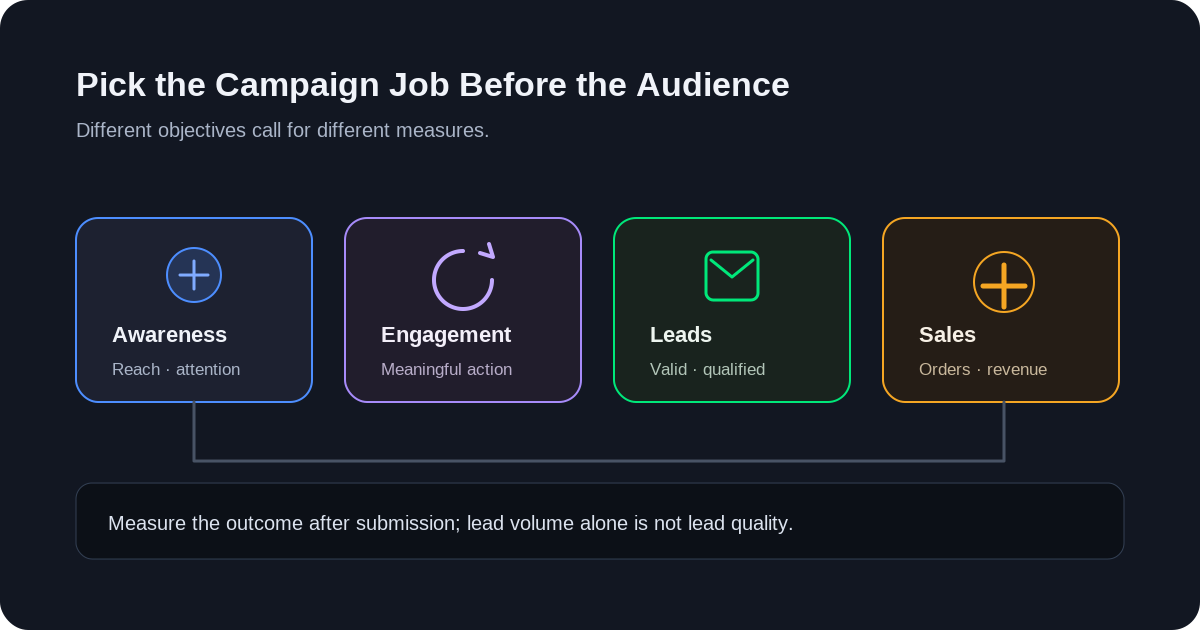
A small business sees a competitor’s Facebook ad and asks for the “same audience.” But copying interests or age ranges does not copy the competitor’s offer, creative, conversion history, or follow-up process. Meta’s delivery system uses the selected objective and signals to seek outcomes; the settings cannot rescue an offer that is unclear or a lead nobody contacts.
Plan the campaign from the business result backwards. Decide whether the job is to introduce the brand, start conversations, collect inquiries, or sell. Then choose a suitable objective, audience approach, creative, conversion destination, and measurement method. Meta’s Ads Manager labels and available controls change, so verify the current interface and account eligibility before launch.
How do Meta campaign objectives affect delivery?
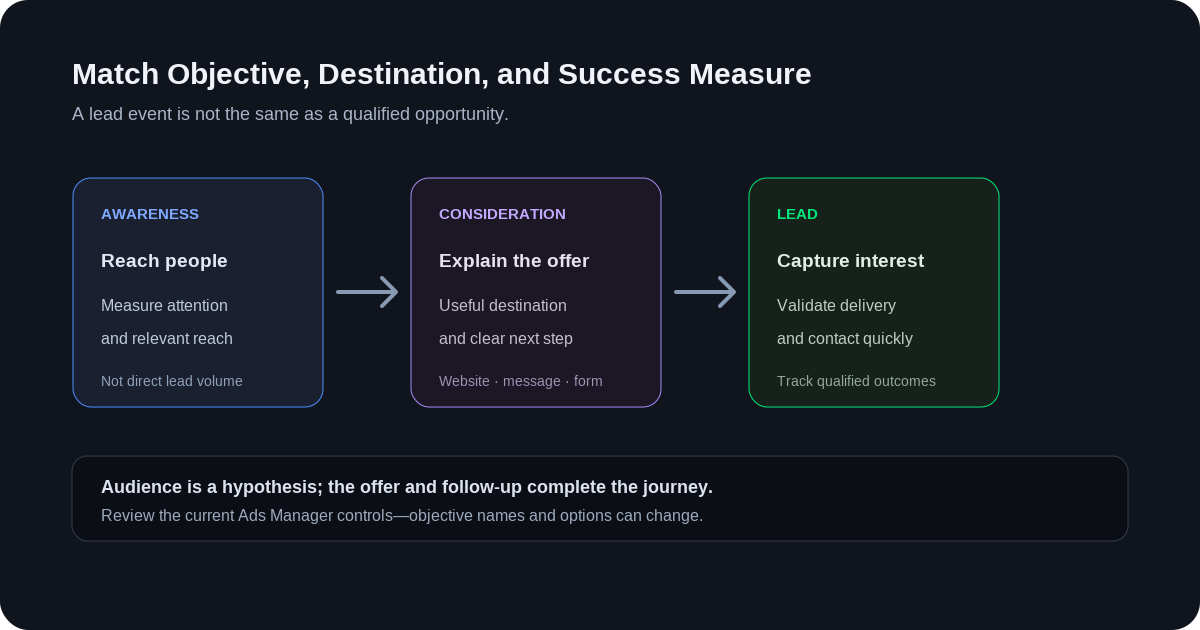
An objective tells Meta what kind of outcome the campaign is intended to optimize for. Select the closest objective to the action that matters, then configure the conversion location and performance goal that match the real customer journey.
Meta’s current objective structure groups campaign goals into categories such as awareness, traffic, engagement, leads, app promotion, and sales. The precise options available can depend on the campaign and account. Check the current Meta explanation of campaign objectives when creating a campaign.
| Business need | Objective direction to evaluate | What to measure |
|---|---|---|
| Introduce a new local service | Awareness | Reach, frequency, video attention, branded interest |
| Send visitors to a useful resource | Traffic | Relevant landing-page visits and downstream behavior |
| Collect contact requests | Leads | Valid submissions, contact rate, qualified inquiries |
| Generate online purchases | Sales | Correct purchase events, order value, and revenue |
| Start a conversation | Engagement or lead path available in account | Conversations that become real opportunities |
This is a planning map, not a universal recommendation. An awareness campaign is not a failed lead campaign if its intended job is reach. A campaign optimized for clicks should not be judged as though it were optimized for qualified sales.
Do not choose an objective because its name sounds like the business goal. Verify what the account is optimizing and where the customer completes the action. A lead objective may use an instant form, a website, a messaging destination, or another option depending on current availability.
When should a business use awareness instead of a lead objective?
Use awareness when the intended outcome is to reach relevant people and build recognition; use a lead path when you need contact details or an inquiry now. They are different jobs and should have different expectations.
Awareness can make sense when a service is unfamiliar, the buying cycle is long, or people need context before they request a quote. A local renovation business could introduce its service area and show the kind of project it handles before inviting visitors to request an assessment. That is a hypothetical creative example, not a performance claim.
A lead campaign is more direct: ask for the action that identifies interest and make the next step clear. If someone submits a form, the business still needs to respond and qualify the lead. The platform can optimize for submissions, but that alone does not prove that the people are ready to buy.
Avoid using impressions as evidence that awareness has produced revenue. Where practical, look for downstream signals such as branded searches, engaged visits, qualified inquiries, or incremental outcomes compared with a reasonable baseline. Attribution is imperfect; document what you can and cannot infer.
How do you choose an audience without over-targeting?
Start from customer evidence and delivery constraints, then test a clear audience hypothesis. Narrow targeting is not inherently more accurate, and broad delivery is not automatically suitable for every business.
Build a simple audience brief:
- Location: Where can the business serve customers? How precise does the offer need to be?
- Customer context: What problem, life stage, or buying situation makes the service relevant?
- First-party signals: Is there an eligible, permissioned customer or website audience that can be used?
- Creative fit: Does the ad explain who it is for so irrelevant viewers can self-select out?
- Policy: Does the offer fall into a special category or have sensitive targeting restrictions?
Meta documents options such as Custom Audiences based on website, app, CRM, or engagement activity, and Lookalike Audiences based on a source audience. Review the current Meta audience documentation and the applicable terms before uploading customer data.
Do not upload a spreadsheet of contacts without confirming permission, data handling, and platform terms. Limit access to customer lists and avoid sending sensitive attributes. If the account uses broader or optimized targeting, remember that audience selections may function as signals rather than hard boundaries depending on the campaign settings. Read the exact current behavior in the interface.
For local targeting, set the service area first and inspect actual inquiries. Avoid assuming that someone who lives in a location is automatically qualified. The offer, service availability, and follow-up matter too.
Should you use an instant form or send people to your website?
Use an instant form when reducing submission friction is valuable; use a website form when visitors need more context or qualification before submitting. Both routes have trade-offs. Test lead quality and operational fit, not just the number of submissions.
| Lead route | Advantage | Risk or work to plan |
|---|---|---|
| Instant form | Fewer steps inside the platform | More low-intent or accidental submissions may need qualification |
| Website form | More room for details, proof, and qualification | Slow or confusing pages can lose visitors |
| Messaging | Natural for questions that need conversation | Requires timely staffing and clear response expectations |
| CRM-connected form | Can route and track leads centrally | Integration, permissions, and duplicate handling need testing |
Meta’s Lead Ads documentation describes lead forms and ways to retrieve leads, including integrations and webhooks. Check the current account setup, Page permissions, and required reviews. Platform features and requirements can change.
Before launch, submit a test lead. Confirm where it appears, who can access it, how it reaches the CRM, and how quickly a person is expected to respond. If a webhook is used, verify retries and duplicate events. If the lead exists only in an inbox that no one checks, the campaign is not operationally complete.
The form should ask for only information the business needs at that point. More fields may qualify intent but can reduce completion. Fewer fields may increase volume while increasing follow-up work. Test only after the sales team has a consistent way to mark valid and qualified leads.
How should you plan creative and the offer?
Show the problem, the audience, and the next step clearly in the creative and landing experience. Audience settings cannot compensate for a vague message. A person should understand what is offered and whether it applies to them before submitting details.
Develop a few distinct creative concepts rather than changing one headline repeatedly. For a home repair service, one concept might explain a common warning sign, another might show the service process, and a third might clarify the coverage area. Use only genuine images and claims. Do not imply a guarantee, certification, client result, or before-and-after outcome that the business cannot substantiate.
Match the copy to the chosen objective. An awareness ad can help people recognize the service. A lead ad should explain what happens after the form. A website ad should lead to a page that repeats the promised offer and makes contact easy.
Check mobile readability, captions on video, landing-page load time, and call or form function. Keep creative variations controlled enough that you know what changed. A clear record of creative, audience, and offer makes later learning more useful.
What should you track to find out if Meta leads are good?
Track the journey from submission to a qualified conversation or sale, not only the platform’s lead count. The campaign should receive accurate signals while the business preserves its own record of outcomes.
Define stages such as submitted, contacted, valid, qualified, appointment booked, and customer. Use consistent definitions across staff. If a CRM can send appropriate quality outcomes back to Meta, review the current Conversions API and privacy requirements before implementation.
Measure cost per valid lead and cost per qualified opportunity alongside submission volume. Add contact time and close outcomes where the sales cycle permits. A campaign with fewer but more relevant inquiries might be more useful than one with a large unqualified form count; the business’s economics determine which is better.
Meta’s lead-ad documentation describes CRM integrations and sending lead-quality information through its conversion-lead integrations. Keep user data protected, share only permitted information, and configure access tokens on the server. For a WordPress integration pattern, see our chatbot and protected API guide and AJAX/REST request example.
What are common Meta Ads setup mistakes?
The most preventable mistakes are objective mismatch, unclear creative, untested lead delivery, and optimizing to a low-quality event. Review the whole funnel before expanding budget.
- Using an awareness campaign while expecting immediate form submissions.
- Using a lead objective but never defining a qualified lead.
- Uploading customer lists without permission or checking applicable terms.
- Selecting a very narrow audience without enough evidence that it helps.
- Using an instant form without checking where leads are delivered.
- Counting a button click as a lead even if submission fails.
- Leaving an ad running after the service area or availability changes.
- Treating a platform-reported result as a complete attribution truth.
Make sure the business can handle the leads it is asking for. If no one can respond during evenings, set an honest expectation and plan a follow-up workflow. If a campaign promises a consultation, the calendar needs available slots.
Frequently asked questions
Is awareness the right Meta objective for a new business?
It can be if the immediate goal is reach and recognition. If the business needs contact details now, evaluate a lead path and measure valid outcomes.
Are instant forms better than website forms?
Neither is always better. Instant forms reduce steps; website forms offer more context and qualification. Compare qualified outcomes and operational workload.
Should I target interests or use a broad audience?
Start with the customer evidence, available first-party signals, location, policy limits, and current account controls. Test a clear hypothesis rather than assuming one approach always wins.
Can Meta ads target local customers?
Meta offers location targeting, but accuracy and available controls depend on the platform and account. Verify the settings, respect special-category restrictions, and review real inquiry locations.
How do I stop low-quality form submissions?
Clarify the offer, qualify with appropriate questions, test the form, and measure which leads are valid and contacted. Do not add sensitive or unnecessary fields.
Does a lead objective guarantee sales?
No. It can optimize toward configured lead actions. Sales also depend on need, offer, qualification, follow-up, and the wider customer journey.