
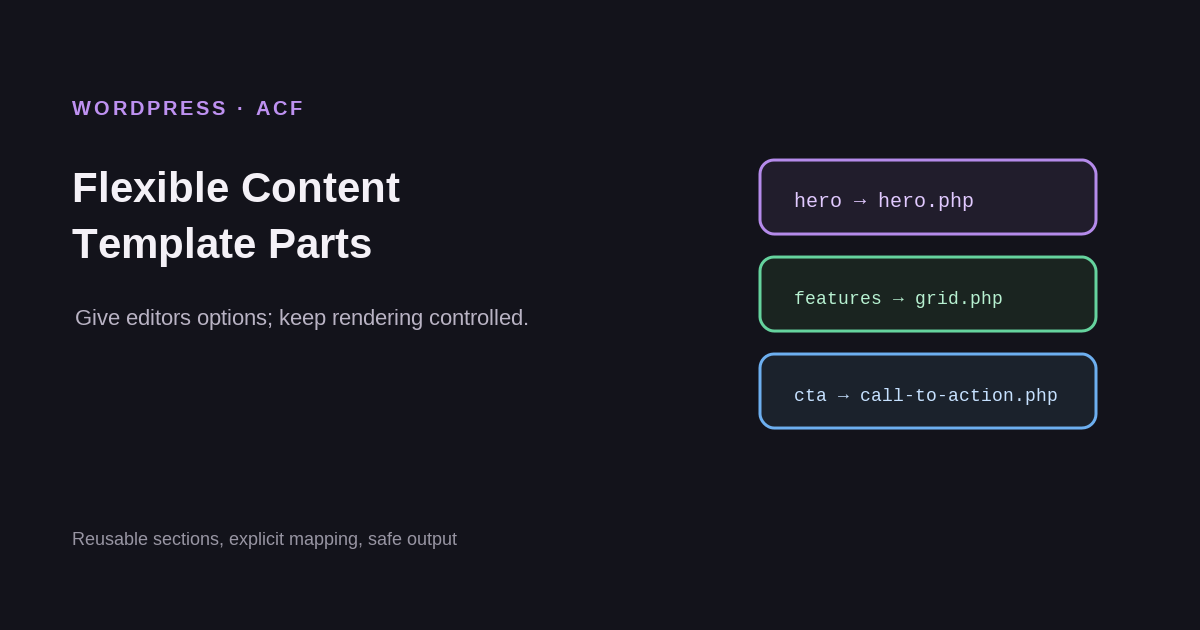
ACF Flexible Content is a structured page builder: editors add a sequence of predefined layouts, and the theme renders each layout with a matching component or template part. It is not a license for arbitrary page design. The most maintainable setup starts with a small set of reusable sections, clear field instructions, and an explicit mapping from each layout name to a trusted template.
This walkthrough assumes ACF Pro is installed and a classic PHP theme or hybrid theme renders the page. Block themes and headless frontends can use the same content-model idea but need their own rendering layer. The focus here is a PHP WordPress theme, where the content model stays separate from the code that renders each page section.
When does Flexible Content fit?
Use it when pages need different combinations of recurring sections, such as a hero, feature grid, quote, image-and-text panel, or call to action. Use a normal fixed field group when every page follows the same structure. Use the block editor when content authors need native blocks and the theme already supports them. A custom post type may need one stable template rather than a page-builder field.
Flexible Content should not become a field group with dozens of one-off layouts that only one page uses. Too many choices slow editors down and make designs inconsistent. Start from repeated content patterns, agree on names and constraints with the people who will edit pages, and add a new layout only when it solves a recurring need.
How should you design the field group?
Create an ACF field group assigned to the relevant pages or post type. Add a Flexible Content field such as page_sections; add layouts with stable machine names and human labels:
| Layout name | Editor label | Typical subfields |
|---|---|---|
hero |
Hero | Heading, intro, image, optional CTA |
feature_grid |
Feature grid | Section heading and repeated features |
image_text |
Image and text | Image, heading, body, image position |
testimonial |
Testimonial | Quote, name, role, optional portrait |
call_to_action |
Call to action | Heading, short copy, link |
Use names that are lowercase and stable because templates depend on them. Give fields instructions that explain image proportions, heading length, link destination, and when a section should be used. Set required fields only when the layout genuinely cannot work without them. Keep presentation options constrained; an editor should choose content and meaningful variants, not arbitrary spacing or color values that can break the design system.
For repeated subcontent, a Repeater inside a layout may be suitable if the license and installed ACF version support it. Avoid deeply nested repeaters unless there is a real editorial need: they can make data entry cumbersome and the resulting page structure harder to validate.
How do you render layouts through a template map?
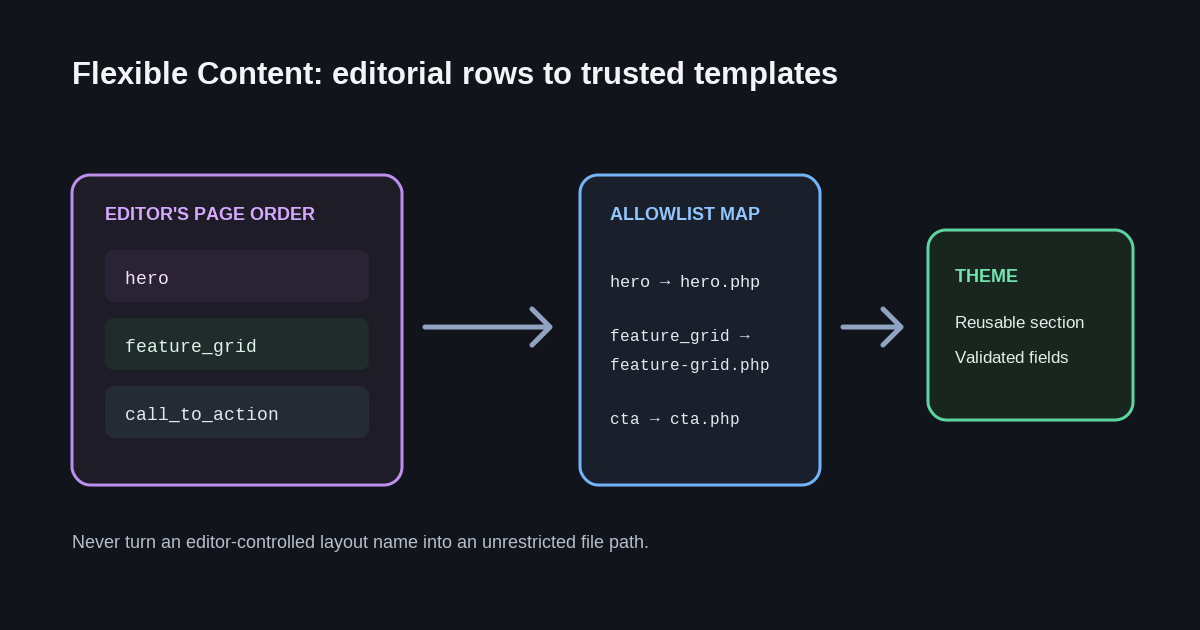
In the PHP page template, check that the field has rows, then dispatch only known layout names to template parts. Do not build a file path directly from a layout value supplied by content or an import. An allowlist makes the set of included files explicit:
<?php
$section_templates = array(
    'hero'          => 'sections/hero',
    'feature_grid'  => 'sections/feature-grid',
    'image_text'    => 'sections/image-text',
    'testimonial'   => 'sections/testimonial',
    'call_to_action'=> 'sections/call-to-action',
);

if ( have_rows( 'page_sections' ) ) :
    while ( have_rows( 'page_sections' ) ) :
        the_row();
        $layout = get_row_layout();

        if ( ! isset( $section_templates[ $layout ] ) ) {
            continue;
        }

        get_template_part( $section_templates[ $layout ] );
    endwhile;
endif;
?>
This expects files such as template-parts/sections/hero.php in the theme, which WordPress locates through get_template_part(). Keep field retrieval inside the corresponding partial so the code that renders a section stays near its markup. For example, the hero template can retrieve heading, intro, and button_link using get_sub_field().
Validate the field return type and escape each output for the target context. A heading rendered as plain text should use esc_html(). A URL should use esc_url(). If a rich-text field is intended to include allowed HTML, use WordPress's appropriate content filtering or sanitization rather than outputting raw input. The layout allowlist protects the include path; it does not sanitize the layout's content.
How should a template part handle missing values?
Templates should degrade gracefully. If a hero image is missing, the heading and introduction should still render if that design supports it. If a required field is empty due to an old import or a changed field rule, omit the incomplete section or show a safe fallback that is part of the agreed design. Avoid printing empty headings, empty links, or image tags with blank sources.
For an image field, choose a consistent return format in ACF. If it returns an array, validate its URL and alt text before rendering. Example:
<?php
$image = get_sub_field( 'image' );
$heading = get_sub_field( 'heading' );

if ( is_array( $image ) && ! empty( $image['url'] ) ) :
    ?>
    <img
        src="<?php echo esc_url( $image['url'] ); ?>"
        alt="<?php echo esc_attr( (string) ( $image['alt'] ?? '' ) ); ?>"
        loading="lazy"
    >
<?php endif; ?>

<?php if ( is_string( $heading ) && '' !== trim( $heading ) ) : ?>
    <h2><?php echo esc_html( $heading ); ?></h2>
<?php endif; ?>
An empty alt value can be appropriate for a decorative image; meaningful images should have useful alt text. Consider the hero image's loading priority separately; blindly lazy-loading the first visible image can delay it.
How many layouts should you create?
There is no universal ideal count. A useful test is whether each layout has a distinct purpose and whether editors can choose it without needing a developer to explain the difference. If two layouts produce nearly identical markup, combine them and use one intentional variant field. If a layout needs many toggles, it may have become several designs hidden in one form; simplify it or split it.
Use preview content and field instructions to make editor choices understandable. Show a layout description such as “Use for a short introduction with one button,” not internal developer terms. Ask editors to test the field group with real page content before building many sections.
How do you test changes to a Flexible Content page?
Test an empty page, one row, multiple rows in different orders, each layout, missing optional fields, a long heading, an unpublished linked post, and images with and without alt text. Check the mobile design and keyboard interactions for every layout that has controls. If a section contains a form or a tab interface, test its behavior rather than treating the PHP output as sufficient.
For data model changes, preview existing pages before deployment. Renaming a layout key can leave old saved rows using the previous key; removing a subfield can make existing content inaccessible. Back up the database and migrate only after checking how current entries are stored. Use staging and a controlled rollout for changes that affect many pages.
How is this different from choosing a WordPress template?
A WordPress template determines the broad page structure: for example, single-project.php can provide the overall shell for a custom post type. ACF Flexible Content supplies the sequence of sections inside that shell. They work together but solve different problems. Learn when to use single-{post_type}.php, a page template, or a block-theme template in choosing a WordPress template for a custom post type.
Can Flexible Content be used in a headless build?
Yes, but the field is only the content model; a headless frontend still needs a supported way to fetch and render each layout. Expose only the intended fields through the API, map layout names to frontend components with an allowlist, and validate unknown layouts. Do not let a value from a remote API become an unrestricted filesystem path or dynamic component import.
A PHP theme uses get_row_layout() and get_sub_field() in its loop. A headless client receives JSON shaped by the API integration, so check the actual response and its authentication policy before designing the React component. Public page content may be appropriate to expose; private or draft fields are not. If a deployment rebuilds static pages from API data, consider how content edits trigger regeneration and how failed builds are reported.
Keep layout keys stable across the CMS and frontend. Renaming feature_grid to features can break deployed clients that still expect the old key. A safe change can temporarily support both names, migrate existing rows, and remove the old mapping only after all consumers are updated. Version the data contract when multiple frontends or integrations depend on it.
Flexible Content implementation checklist
- Model repeated editorial sections, not arbitrary one-off designs.
- Use stable layout keys and clear editor-facing labels.
- Route known layouts through a fixed allowlist of template parts.
- Validate values and escape output in the correct context.
- Test empty, reordered, partially completed, and legacy content.
- Keep a migration and rollback plan when changing existing layout keys.
ACF's Flexible Content field documentation explains layouts and template loops; its Repeater documentation covers repeatable subfields. WordPress documents get_template_part() and the template hierarchy. A headless frontend can consume the same content model, but its API exposure, component map, and rebuild behavior need a separate implementation.